01 · Discharge
Instructions arrive all at once.
Restrictions, medications, appointments, and warning signs are spread across paperwork, portals, and conversations at the moment the patient is least prepared to organize them.
Mend is an early-stage recovery continuity concept designed to help patients carry trusted instructions, progress, concerns, and functional change from surgery through home recovery and into physical therapy.
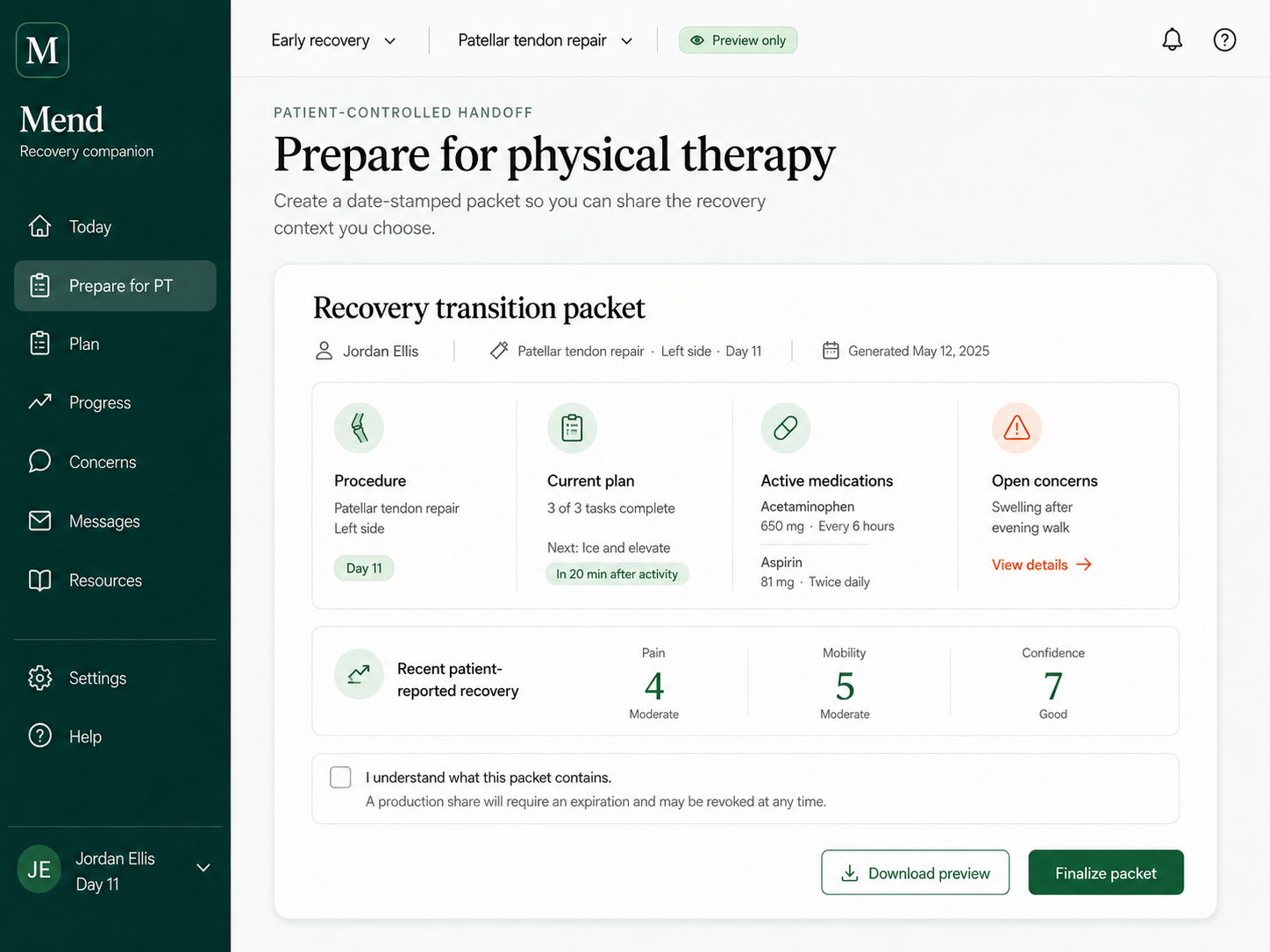
Patients move through discharge, home, follow-up, and rehabilitation as one lived experience. The surrounding systems often treat those moments as separate records, separate conversations, and separate responsibilities.
Restrictions, medications, appointments, and warning signs are spread across paperwork, portals, and conversations at the moment the patient is least prepared to organize them.
What was completed, what changed, what hurt, and what needs clarification often remain in personal memory until the next clinical conversation.
Physical therapy begins with a patient retelling the recovery state while the therapist tries to separate current context from partial recollection.
The walkthrough shows the continuity idea through an existing physical-therapy vertical slice. It is a product concept using synthetic information, not a deployed clinical product.
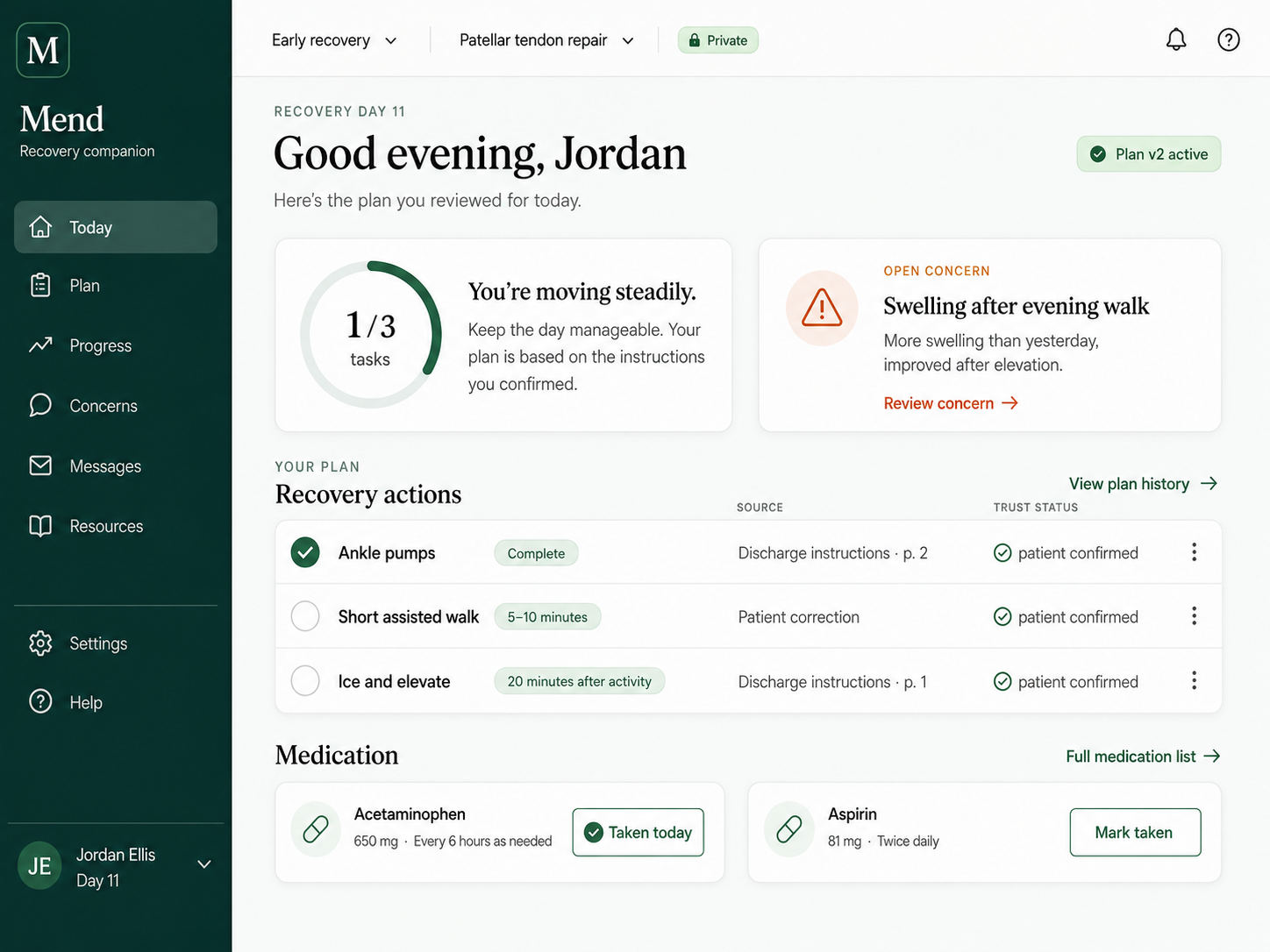
This walkthrough shows how Mend could feel in the patient’s hand: reviewing the plan, checking in, seeing what matters today, preparing for the next appointment, and carrying a clearer recovery state forward.
On smaller screens, the walkthrough now opens separately so the animation stays stable and the controls remain usable without moving the surrounding page.
Open mobile walkthroughThe MedStar-inspired continuity flow began with a simple real-world problem: two therapists, incomplete visibility into the latest exercise state, and a patient carrying the changes between visits. Mend is not affiliated with or endorsed by MedStar Health.
A focused view of what is current, what changed, how the body responded, what remains uncertain, and what the treating clinician needs to confirm.
The current work includes interface concepts, a reviewed patient-recovery experience, a transition packet, PT continuity prototypes, technical validation materials, and a staged path toward testing.
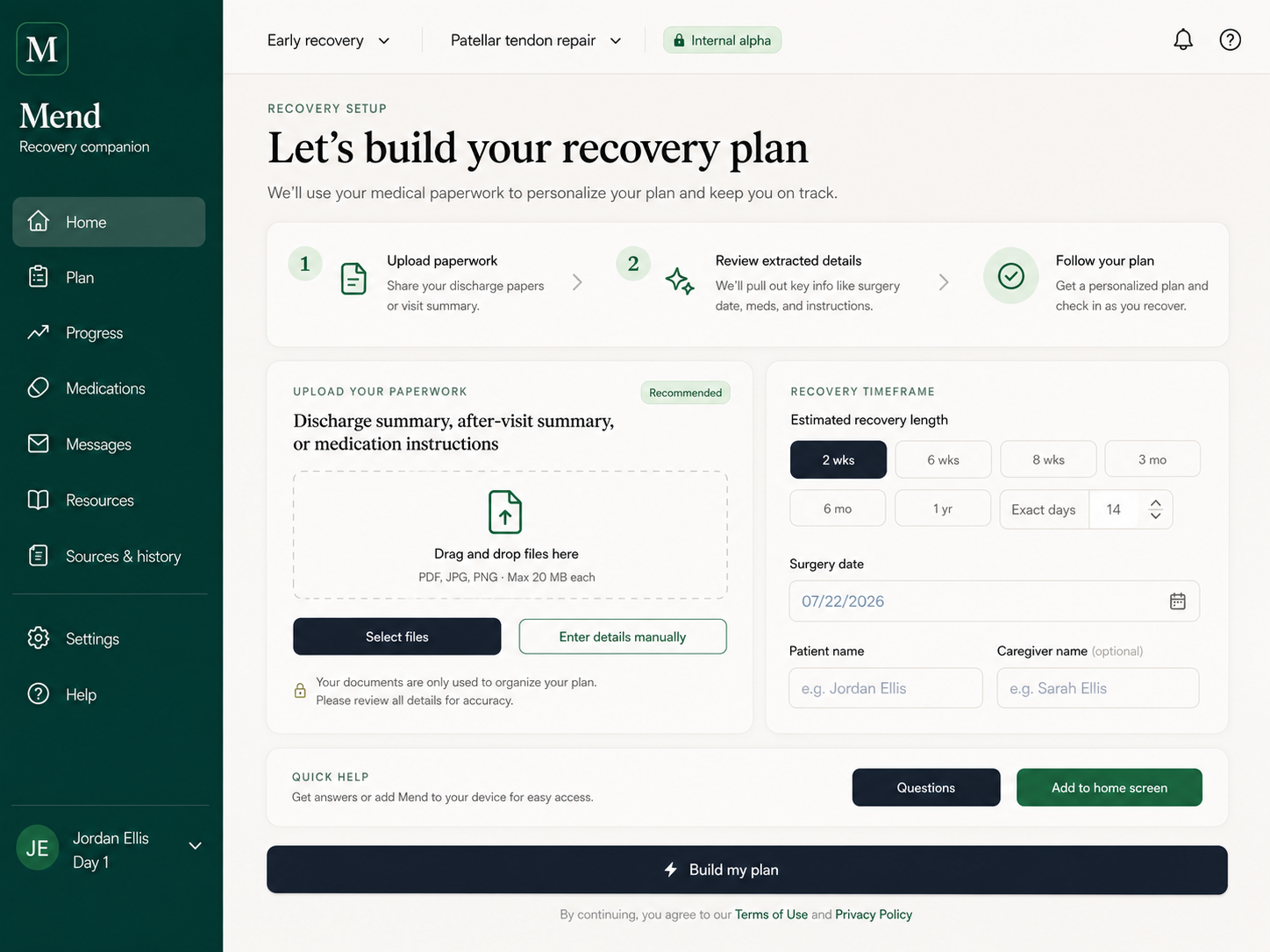
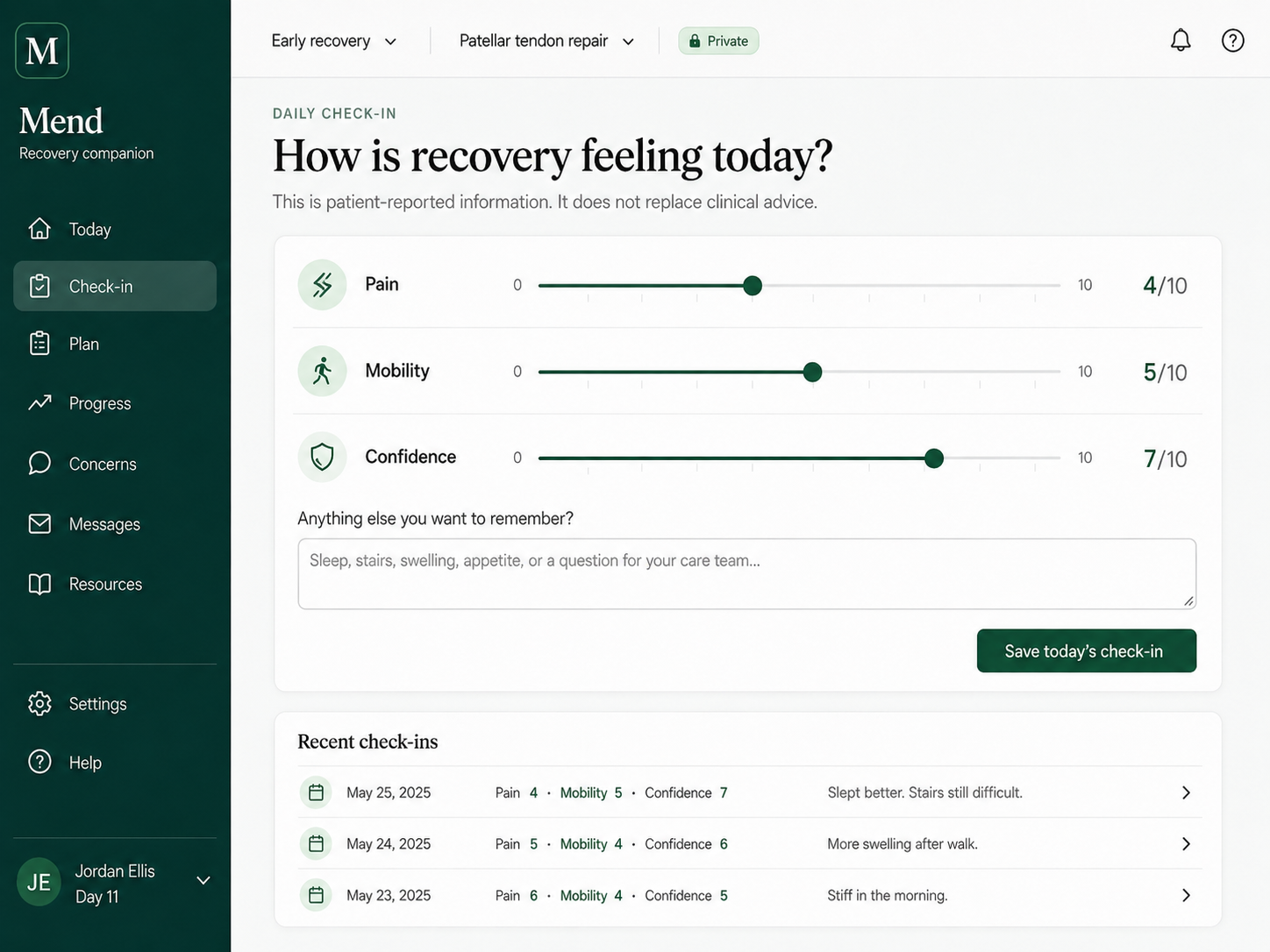
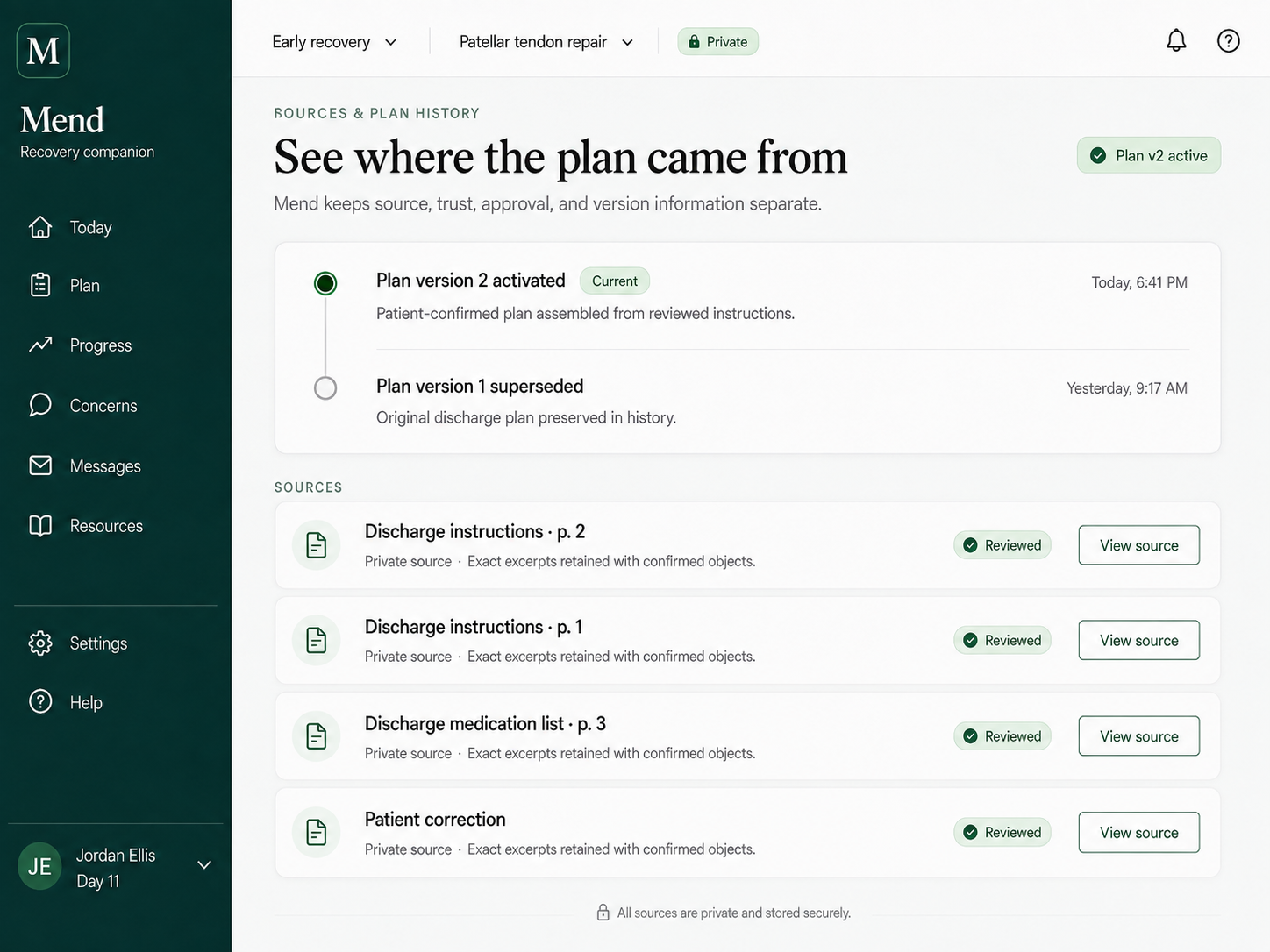
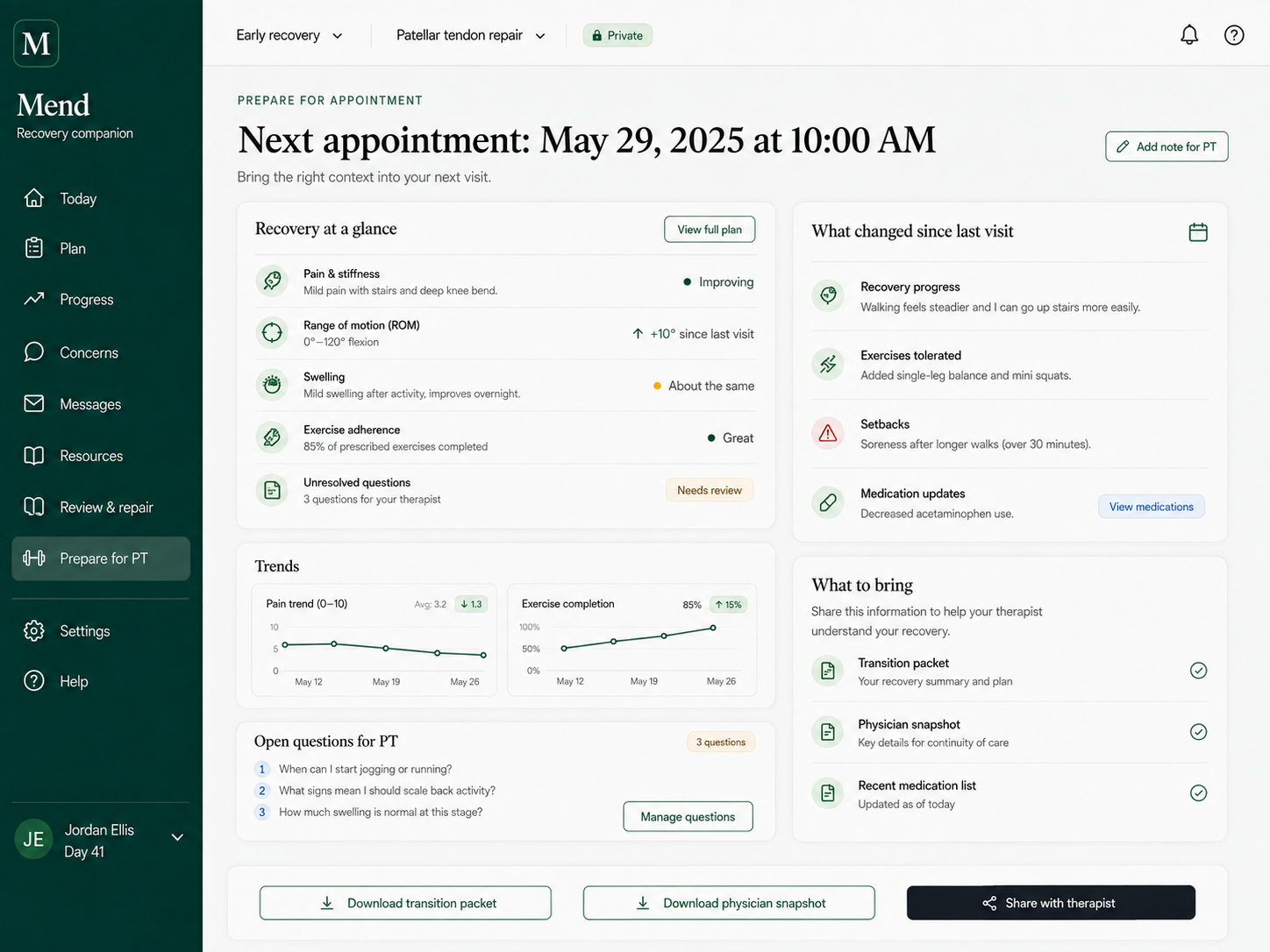
Mend begins with recovery, but the underlying opportunity is broader: help people and care teams maintain a trusted, current understanding across transitions without pretending to replace clinical judgment or the medical record.
The patient should not have to carry every instruction, change, and open question in their head while also trying to heal.
The next professional should be able to orient quickly to what changed and what needs confirmation without reading a reconstructed narrative from scratch.
Patient-reported information, clinician-confirmed information, imported instructions, and unresolved discrepancies should not be flattened into one false certainty.
The near-term path is evidence, workflow fit, and low-burden pilots—not premature claims of hospital-scale deployment.
The product did not begin as a theoretical healthcare opportunity. It began with the lived experience of trying to recover while carrying too much of the process alone.
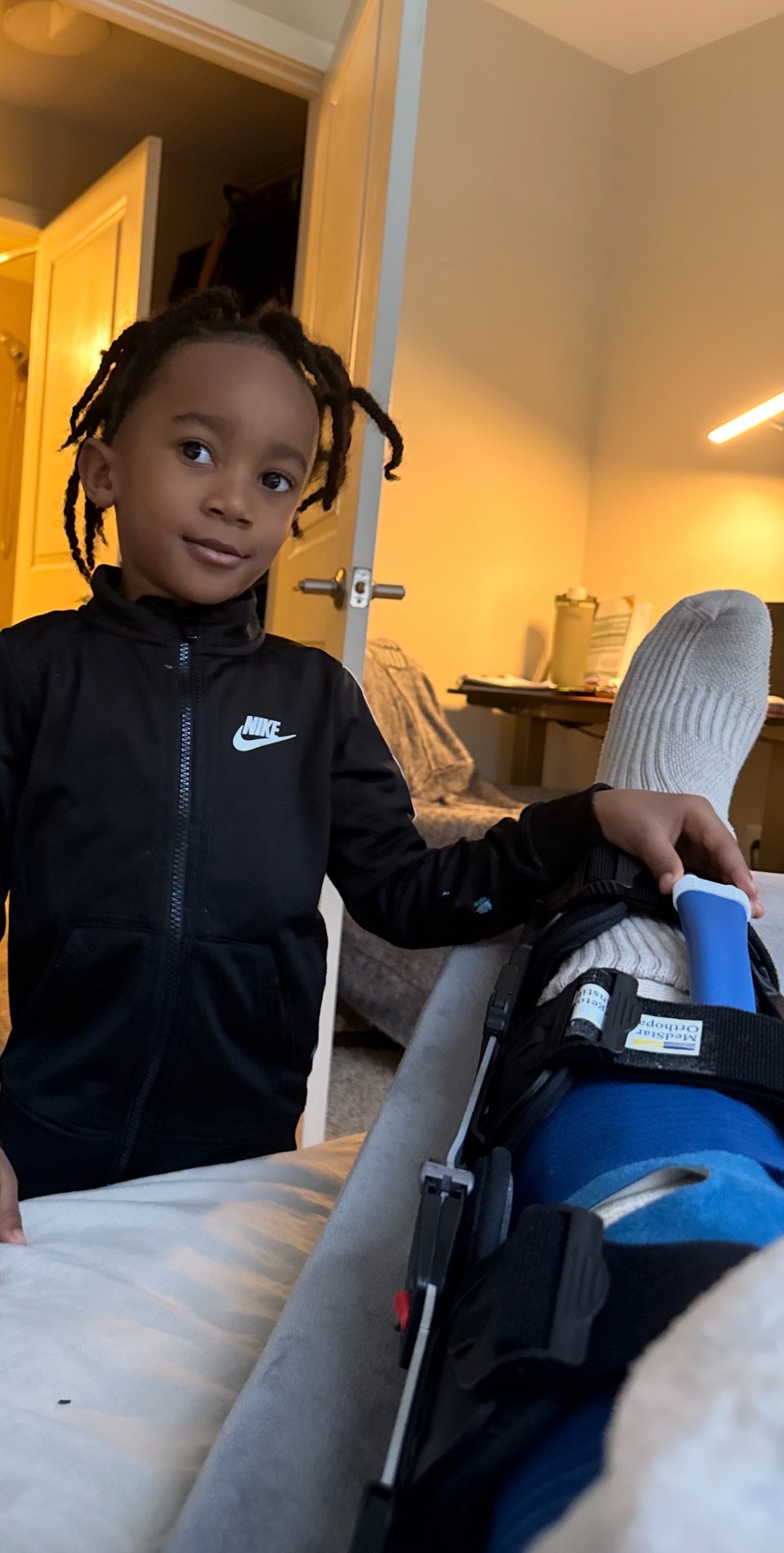
In March 2026, I suffered a full patellar tendon rupture. The injury immediately changed the rhythm of daily life. Surgery, restrictions, pain, mobility, medication, appointments, physical therapy, and the uncertainty of what came next all became part of one continuous experience.
The care itself was not uncaring. The people involved were doing their jobs, often under pressure and with limited time. But the experience could still feel cold without anyone intending for it to feel that way. Information arrived in separate moments. Each setting held only part of the story. I was the person responsible for carrying the full recovery state between them.
I wanted a place where instructions could remain current, where questions could be saved before they disappeared, where progress and setbacks could be understood over time, and where the next person involved in my care could begin with more context than I could reconstruct in the room.
That first instinct became Mend: not another portal, not a substitute for clinicians, and not a system that pretends recovery can be automated. Mend is an attempt to make the experience between appointments feel more connected, more understandable, and more human.
The image and walking video on this page are part of that real recovery. They represent the distance between the earliest days of dependence and the slow return of movement. That distance is where Mend took shape.
Mend is at the stage where the quality of early questions matters more than the appearance of certainty. The goal is to shape the product with people who understand recovery, clinical workflows, health systems, product development, and responsible capital.
Physical therapists, rehabilitation leaders, post-operative care teams, and workflow operators can help identify what belongs in the handoff and what would create duplicate work.
Product, design, engineering, privacy, interoperability, and implementation partners can help turn the current concept into a testable and responsibly scoped pilot.
The opportunity is to help develop a clear company, evidence plan, and narrowly sequenced go-to-market strategy before the product is overbuilt or overclaimed.
Early credibility depends on being precise about the current state of the work.
For investor conversations, clinical feedback, technical partnership, or early strategic involvement, write to info@mendtohealth.com.